Bidding & the shot list
Bid categories & rates
Set up the departments and day rates that drive your bid.
Quick start
- Setup → Bid Categories — reorder, group, and edit day rates.
- Drag category cards to reorder.
- Group related categories (e.g. all Comp variants) for cleaner exports.
- Rates set here become the default for every new bid pack.
Details
Groups vs categories
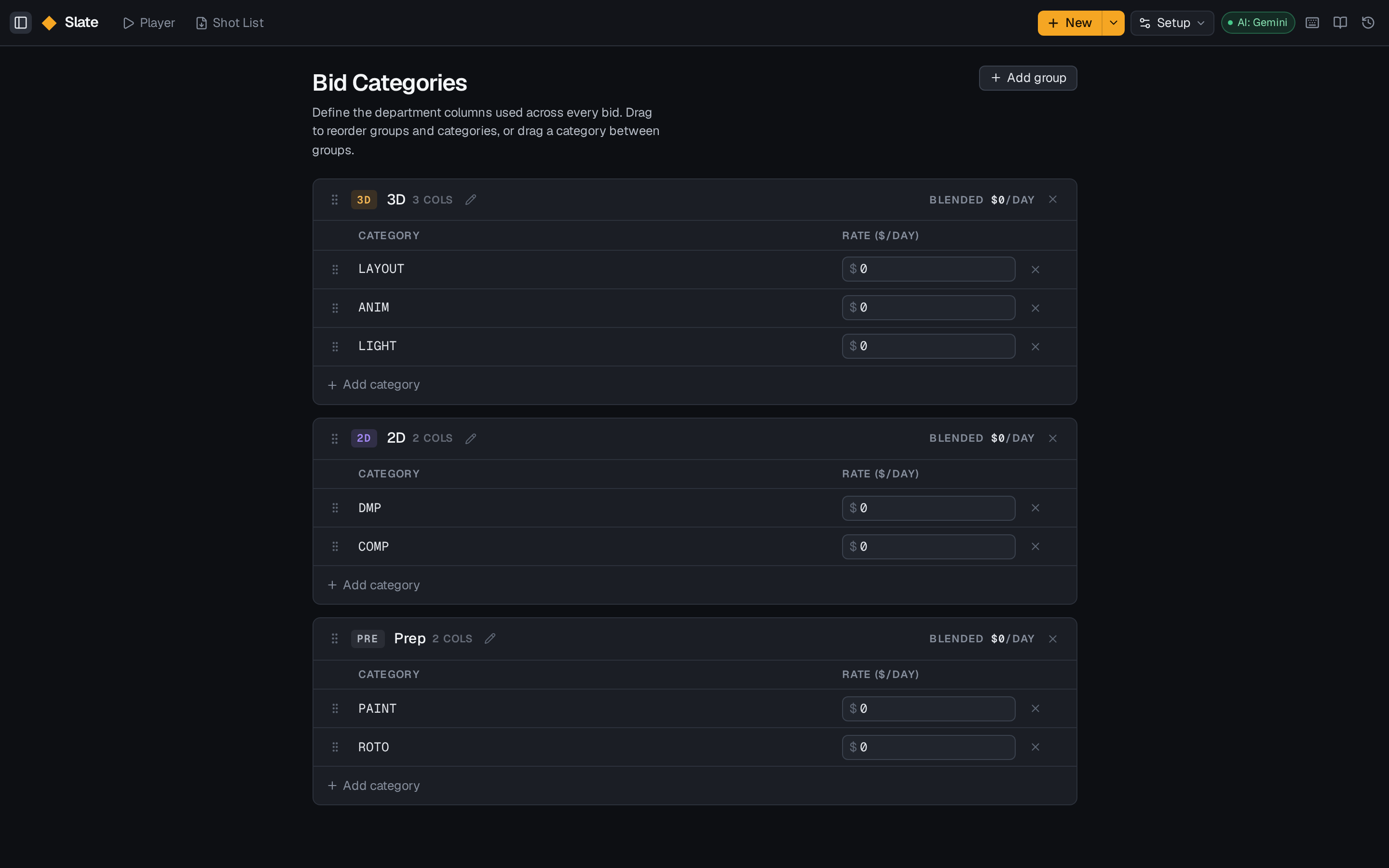
- A category is one line item on a bid (e.g. Roto, Paint, Comp).
- A group is a header that collects related categories.
Both are drag-and-droppable. Groups collapse in exports if a client only wants headline numbers.
Workspace vs project departments
Departments defined at workspace level are your standard. A project can carry local departments for one-off needs without polluting the workspace list — and you can save a project's department set as a preset to start future projects from.
Changing rates
Rate changes don't back-propagate silently — you'll be asked whether to apply the new rate to the current pack or leave it as it was priced.